The feed data is formatted as a structured, comma‑separated text record that the simulation software reads sequentially.
Each line in the input file defines a single component in the feed stream. It contains the consecutive component number, the component’s database ID, and the molar flow rate in mol/h. A single sentinel line — typically a database ID of 99 with a flow rate of 0 — tells the software to stop reading and begin the simulation. Without this termination signal, the software may hang or crash.
Understanding the precise comma‑delimited structure and the essential termination line is what separates a smooth simulation run from a cryptic failure. This format is not a suggestion; it is a strict contract between the user and the executable, and even small deviations will cause the program to abort with an illegal function call.
The Anatomy of the Feed Input File
A Line‑by‑Line Blueprint
Each component you want to feed into the pilot‑plant simulation occupies exactly one line in the dedicated input file. The fields on that line must appear in exactly this order, separated by commas and without spaces:
- Consecutive component number – a simple integer that counts the lines (starting from 1).
- Component database ID – an integer that matches the ID in the thermodynamic database file (where properties like critical pressure, critical temperature, and acentric factor are stored).
- Molar flow rate – a decimal value in mol/h that represents how much of that component enters the unit.
For example: 1,5,0.004 means the first component in the list uses database ID number 5 and has a molar feed flow of 0.004 mol/h.
The Termination Line – The Software’s “Stop Reading” Signal
After the last real component, you must place a final line that signals the end of the data block. In most implementations this line contains a database ID of 99 and a flow rate of 0.
Without it, the reading loop never terminates; the program either waits forever for more data or throws an unrecoverable error. This sentinel is just as rigid as the component lines — even a zero flow rate on a valid ID will not be recognized as the stop marker unless the ID exactly matches the expected sentinel value.
Why Strict Formatting Matters More Than You Think
The Direct Link to the Thermodynamic Engine
The feed file does not work in isolation. When you click 'Open' to start a simulation, the software reads both the feed composition and a separate thermodynamic database file. The database is also line‑delimited with commas and terminated by an END marker.
The component database ID in the feed line is the bridge. It tells the simulation which row of the thermodynamic data to use for vapor‑liquid equilibrium (VLE) calculations. If the ID does not exist in the database, or if you put the fields in the wrong order, the executable will halt with an illegal function call — often without a helpful error message.
Protecting the Educational and Measurement Loop
Supplementary experiments, like multicomponent flash vaporization, rely on this data to compute split‑phase molar flow rates (displayed as formatted text outputs such as txtMHR and txtMF).
If the feed file is malformed, even a perfectly working pilot plant produces no meaningful validation data. Students and engineers can then no longer compare the physical flow meter readings against software predictions, making it impossible to check mass balances, calibrate sensors, or assess thermodynamic efficiency.
Common Pitfalls to Avoid
Missing or Incorrect Sentinel Line
The most frequent cause of a silent failure is omitting the 99,0 termination line. Another common variant is using a different ID, like 0 or 999, or including a non‑zero flow rate. The software expects the exact value it was compiled to recognize, so always consult the specific plant’s documentation.
Field Order and Separator Errors
Even an extra space after a comma or a swapped field order (e.g., database ID first) will break the parser.
Because the feed file is often edited by hand, it’s easy to accidentally insert a space or a newline in the wrong place. A strict, no‑space CSV format on every line is non‑negotiable.
Mixing Up Consecutive Number and Database ID
The first integer is just a counter; the second integer is the lookup key to the chemical properties.
Putting the database ID in the first column and inventing a placeholder for the consecutive number will cause the software to interpret your flow rate as a component identifier, leading to meaningless results or a crash.
Making the Right Choice for Your Goal
- If your primary focus is setting up a new simulation from scratch: Create the feed file using a plain text editor with no formatting, follow the exact field order (consecutive number, DB ID, flow rate), and always terminate with
,99,0. Double‑check that every database ID matches an entry in the thermodynamics file. - If your primary focus is troubleshooting a simulation that won’t launch: First verify the sentinel line is present and correct. Then check for any stray spaces, tabs, or missing commas. Open the thermodynamics database file separately to confirm that all referenced component IDs exist and that its own
ENDmarker is intact. - If your primary focus is educational validation and mass balance: Once the feed file runs without error, cross‑reference the software’s computed molar flow outputs with the pilot plant’s physical flow meters. Consistent formatting ensures the underlying model is correct; any remaining discrepancies are then real experimental deviations worth investigating.
You now have the blueprint for a feed file that will speak the software’s language perfectly, so your next simulation run can start without a single formatting headache.
Summary Table:
| Field Position | Parameter | Data Type | Description | Example |
|---|---|---|---|---|
| 1st | Consecutive Number | Integer | Line counter (starts at 1) | 1 |
| 2nd | Component Database ID | Integer | Database lookup key for chemical properties | 5 |
| 3rd | Molar Flow Rate | Decimal | Molar flow rate in mol/h | 0.004 |
| Final Line | Sentinel Line | Mixed | Stop signal to terminate reading (ID 99, flow 0) | 4, 99, 0 |
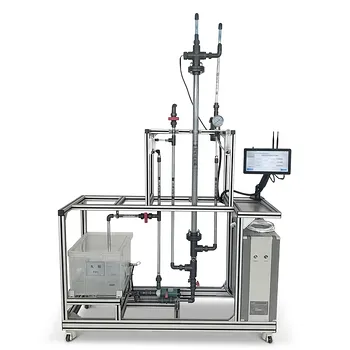
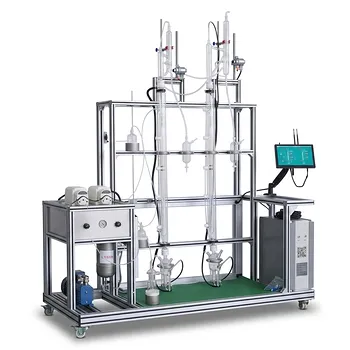
Ensure your laboratory simulations and physical operations run flawlessly. LABPARK provides state-of-the-art Educational and Vocational Unit Operations Pilot Plants in chemical engineering, bioprocess & biotech, and environmental & water treatment for universities, research institutes, and enterprises. Let us help you bridge the gap between simulation software and real-world process validation. Contact our technical experts today to optimize your lab systems!
Related Products
- Multifunctional Membrane Separation Educational Pilot Plant with Ultrafiltration, Nanofiltration, Reverse Osmosis
- Natural Product Extraction Unit Operations Training Pilot Plant
- Quantitative Dosing and Liquid Flow Control Educational Unit Operations Pilot Plant
- Carbon Material Thermal Pretreatment Multiphase Separation Educational Pilot Plant
- Residence Time Distribution and Reactor Flow Characteristics Determination Educational Pilot Plant
People Also Ask
- How do PEI, PVDF, and PSU membranes compare in pilot plants? Find the best fit.
- Pervaporation vs. Vapor Permeation: Handling Suspended Solids in Membrane Pilot Plants
- What are the trade-offs of polymer vs inorganic membranes in teaching pilot plants? Key laboratory comparison.
- What are the key flow configuration loops in membrane pilot plants? Optimize Performance
- How can operators optimize operating conditions and cleaning protocols in membrane separation pilot plants to mitigate fouling?