The difference between a safe pilot plant run and a costly material spill often comes down to what an operator reads next to a text box. To configure UI labels for accurate process parameter entry in vocational unit operations pilot plants, you must explicitly set the Caption property of each label control to a clear, human-readable description of the exact parameter being input. For example, use “No. of Selected Components” or “Mol/hr rates” instead of the default internal name “Label2”. This immediate clarity prevents misidentification of input fields during fast-paced experiments.
Clear, descriptive captions eliminate ambiguity at the first data-entry touchpoint. However, true operator accuracy requires pairing those labels with input controls that handle complex data (like multi-component lists) and embedding them in a well-structured screen layout that shows process context, trends, and alarms.
Building the First Line of Defense: Configuring UI Label Captions
Placing Labels Directly Beside Input Fields
When designing the HMI, always place a label control immediately next to (or above) the text box or numeric input it describes. In the software’s design view, select the label tool, draw it on the form, then open the Properties panel.
Setting the Caption: The Operator’s Readable Name
In the Properties panel, locate the Caption property. Replace the default “Label1” or “Label2” with an explicit, process-specific description of what the operator must enter. For a reactor setup, use “Reactor Feed Temperature (°C)” or “Setpoint for PID Loop TC101”. For component lists, “No. of Selected Components” or “Mol/hr Rates (Component A)” work perfectly.
Keeping Internal Names Separate (and Why It’s OK)
The control’s Name property (e.g., “Label2”) can remain as the auto-assigned identifier for your programming logic. Operators never see it. The Caption alone governs their understanding, so prioritize operator friendliness in the caption without breaking any underlying code references.
Expanding Beyond a Single Line: Configuring Input Controls for Complex Pilot Plant Data
Why Simple Text Boxes Fail with Component Lists
Chemical engineering pilot plants often require entry of multi-component mixtures, such as a list of feed chemicals and their respective flow rates. A single-line text box cuts off data, making verification impossible and leading to errors.
Enabling Multiline and Scrollbars for Safe Data Review
Select the text box intended for large data blocks, open its Properties, and set Multiline to True. Then set the Scrollbars property to 2 (Vertical Scrollbar). This ensures operators can scroll through the entire list before confirming, mirroring how feedstock composition is reviewed in industrial batch records.
Structuring the Interface to Turn Labels into Safe Workflows
Why Context Matters: The Role of Dedicated Screens
Even perfectly labeled input fields fail if operators cannot see how the input relates to the live process. A vocational pilot plant HMI must therefore organize those labeled fields inside specialized screens that mirror the physical plant and training goals.
Key Screens That Turn Random Inputs into a Coherent Process
- Overview Screen: Shows key parameters (temperatures, flows) and gives quick navigation to detailed input forms.
- Flowchart/P&ID Screen: Dynamically displays the physical layout with active flows; clicking a pump or valve opens its labeled input pop-up, so students learn to associate the text entry with the physical equipment.
- Trend Screen: Plots process parameters over time, allowing operators to see the impact of every entered setpoint. Sampling intervals from 1 to 3600 seconds let students analyze transients during startup or disturbance tests.
- Control Group Screen: Groups related PID loops, displaying process variable (PV), setpoint (SP), and manipulated variable (MV) side by side. The setpoint input field here must be clearly labeled with both the controller tag and its function (e.g., “TC101 SP – Reactor Jacket Temp”).
Understanding the Trade-offs: When Labels Can’t Fix Everything
Caption Clutter from Overload
While descriptive captions are vital, packing too much technical detail into a single label (e.g., full transducer model numbers) can overwhelm a trainee. The caption should be concise but unambiguous, with detailed metadata available via tooltips or a dedicated “Info” button.
The Risk of Inconsistent Naming Across Operator Stations
If one station labels a field “Feed Flow” and another “F-101 Flow,” confusion will arise. Establish a plant-wide naming convention based on P&ID equipment tags before configuring any captions, and audit that all labels match across screens.
Training Dependency Overrides Interface Design
The best caption is useless if students are not trained to read it. Vocational programs must combine UI configuration guidelines with hands-on modules where trainees verify each label against the physical equipment. The interface then becomes a reinforcement tool, not a crutch.
Making the Right Choice for Your Goal
After the labels are configured and the context screens assembled, tailor the approach to your primary instructional objective:
- If your primary focus is fast, error-free data entry for short experiments: Keep captions short and place all critical inputs on a single Control Group screen, with multiline boxes only for lists that exceed three items.
- If your primary focus is teaching students the link between process theory and real-time control: Embed labeled input fields directly on the Flowchart/P&ID screen and add a Trend screen that plots the result of every manual input change.
- If your primary focus is demonstrating Quality by Design (QbD) and feedforward control: Use multiline text boxes to enter raw material variability parameters, clearly labeled with the material attribute and its associated model variable, and display the computed feedforward adjustments on a dedicated screen.
A well-chosen caption turns an anonymous text box into a unambiguous instruction manual. When paired with the right input controls and a thoughtfully structured screen layout, that label becomes the cornerstone of safe, educational pilot plant operation.
Summary Table:
| UI Control/Property | Recommended Configuration | Purpose in Pilot Plant Operations |
|---|---|---|
| Caption Property | Explicit, process-specific description (e.g., "Reactor Temp (°C)") | Eliminates ambiguity and prevents data-entry errors |
| Name Property | Internal programming identifiers (e.g., "Label2") | Identifies control in background logic (hidden from operator) |
| Multiline & Scrollbars | Set Multiline to True; Enable Vertical Scrollbar | Allows safe review of multi-component feed composition lists |
| HMI Layout Screens | Structured by function (Overview, P&ID, Trends, PID groups) | Connects data entry fields to physical process context |
Empower Your Students with Safe, Intuitive Pilot Plants
Designing clear and operator-friendly HMI interfaces is vital for effective training and research. LABPARK provides premium Educational and Vocational Unit Operations Pilot Plants in chemical engineering, bioprocess & biotech, and environmental & water treatment for universities, research institutes, and enterprises. Our systems feature robust control software designed to teach students real-world automation and safety principles.
- Ready to upgrade your laboratory? Contact our engineering team today to discuss your custom pilot plant requirements!
Related Products
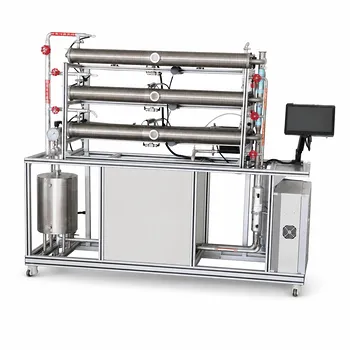
- Three-Tube Heat Transfer Educational Pilot Plant for Unit Operations Training
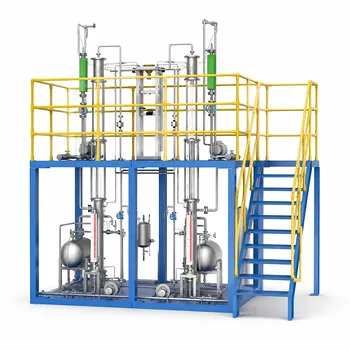
- Multimodal Absorption and Desorption Pilot Plant for Unit Operations Training
- Carbon Dioxide Hydrogen Methanol Synthesis Educational Unit Operations Pilot Plant
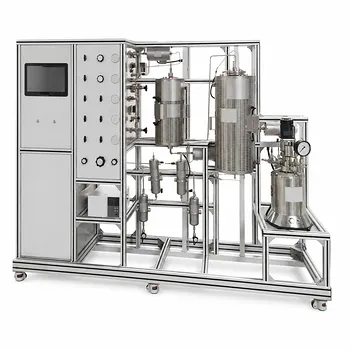
- Multi-Reactor Educational Pilot Plant for Reaction Engineering Unit Operations
- Multi-Functional Drying Educational Unit Operations Pilot Plant
People Also Ask
- When is ε-NTU preferred over LMTD in pilot plants? Predict heat exchanger performance without iteration.
- Why is the study of thermal boundary layers and Prandtl numbers critical in heat transfer unit operations pilot plants?
- How does thermal conductivity affect pilot plant performance? Optimize heat transfer & accuracy
- How is the overall heat transfer coefficient determined and analyzed in heat transfer unit operations pilot plants?
- How does cascade control achieve superior disturbance rejection in heat transfer pilot plants?