A single misplaced comma can crash your pilot plant.
The required format for pure component thermodynamic data is a strict comma-separated line with no blank spaces, containing the component ID, abbreviated name, critical pressure in psia, critical temperature in °F, and acentric factor in that exact sequence. The file must end with an 'END' marker. Any deviation—a space, a period instead of a comma, a missing delimiter—or a wrong unit order will cause the simulation software to throw an illegal function call and halt run. This rigid syntax is the gateway to every vapor‑liquid equilibrium (VLE) and flash calculation that governs a unit operations pilot plant; a formatting slip means the distillation column, flash unit, or extraction experiment simply will not run.
Core takeaway: The non‑negotiable format is
<ID>,<Name>,<Psia>,<°F>,<Acentric>per component line, terminated withEND. This precision is not pedantry—it is the precondition for any pilot plant simulation. A single syntax error breaks the software, while even a perfectly formatted but inaccurate acentric factor can silently corrupt your separation predictions.
The Anatomy of a Thermodynamic Data File
The Required Data Fields in Sequence
Every component line must deliver exactly five pieces of information, in this fixed order:
- Component ID – a numeric identifier.
- Abbreviated name – a short text label, often in quotes.
- Critical pressure (Pc) – in psia.
- Critical temperature (Tc) – in degrees Fahrenheit.
- Acentric factor – a dimensionless decimal.
A correctly formatted line looks like: 3,"CO2",1069.9,547.7,.225
No extra commas, no leading or trailing spaces.
The Unforgiving Syntax: Commas, No Spaces, and the END Marker
The parser reads the file sequentially, using commas as the only field separators.
No blank spaces are allowed anywhere—before or after values, between commas, or at line ends.
The file must be closed with a line containing the single word END.
If a period accidentally replaces a comma (e.g., 3."CO2"), the program fails with an Illegal function call error because the tokenizer cannot parse the string.
Why This Rigid Format Exists for Process Simulators
Educational and research‑focused simulators often use simple, line‑oriented file reading without tolerant parsers.
This brittleness guarantees deterministic, fast parsing, but it demands that the user supplies a perfectly sanitized input.
The trade‑off is operational stability versus operator forgiveness—a fair bargain in a controlled laboratory where a single experiment‑halting mistake costs time but teaches discipline.
The Direct Impact on Unit Operations Pilot Plants
Gatekeeper to Vapor‑Liquid Equilibrium (VLE) Calculations
When the software’s Open command reads the component database, it populates the thermodynamic core used for every subsequent flash and VLE computation.
In a flash distillation pilot plant, the software must know the mixture’s critical properties to predict phase splits, vapor fractions, and tray temperatures.
If the file fails to load, the simulation crashes immediately, and the physical plant cannot receive computed setpoints—wasting valuable lab time and, in educational settings, derailing a teaching moment.
When Bad Formatting Masquerades as Bad Data
A corrupt file often produces a cryptic error that a student or researcher may misinterpret as a model convergence problem—not a file‑format issue.
Hours can be lost chasing phantom thermodynamic mismatches when the true culprit is an invisible space after a comma.
The format thus acts as a “fail‑early” fuse: a formatting error loudly stops everything, while a silently wrong acentric factor can propagate through the plant with no warning.
Practical Tips for Error‑Free Data Entry
Use Dedicated Input Interfaces, Not Raw Text Editors
Many pilot plant software installations provide a Visual Basic‑style form (e.g., a form with Name = DEdit and Caption = Datainput) that channels user input into the correct comma‑delimited structure automatically.
Whenever possible, use these built‑in input forms—they enforce the order, units, and delimiter rules, eliminating the most common formatting mistakes.
Cross‑Verify Your Thermodynamic Numbers
Formatting perfection is useless if the numbers for Pc, Tc, or acentric factor are wrong.
Always cross‑reference your values against trusted physical property databases like DIPPR or DECHEMA.
A perfectly formatted file with an erroneous acentric factor will produce believable but incorrect simulation results, leading to misguided pilot plant operation and flawed scale‑up predictions.
Understanding the Trade‑offs
The Cost of a Brittle System
A rigid, simple parser makes the software code easier to maintain and extremely fast—but it places the entire burden of correctness on the human operator.
One misplaced character stops everything.
This trade‑off is acceptable in a teaching lab or a focused research environment, but it becomes a serious productivity bottleneck if the input process is not supported by validation scripts or well‑designed forms.
Format Precision vs. Data Accuracy
A file that meets every syntax rule will load successfully, but it can still be dangerously wrong.
For example, a critical temperature entered in Celsius instead of Fahrenheit parses correctly yet shifts the entire phase envelope, ruining the plant’s mass and energy balances.
The real risk is that formatting errors are impossible to miss while thermodynamic inaccuracies can go unnoticed unless you compare simulation outputs with pilot plant measurements.
Bridging the Gap Between Simulation and Physical Pilot Plant Performance
Adjusting Binary Interaction Parameters
Even with perfect formatting and verified pure‑component data, the built‑in thermodynamic model may deviate from your pilot plant’s actual behavior.
In such cases, adjust binary interaction parameters (BIPs) using experimental VLE data from your runs.
This closes the loop between simulation and reality, teaching that the initial data file is only the starting point for model fidelity.
Why Accuracy Requirements Vary by Task
The same file format serves very different goals:
- Educational flash demonstrations can tolerate ~10 % accuracy.
- Preliminary equipment sizing benefits from ~5 %.
- Detailed separator design demands ~1 % accuracy.
- Custody transfer or LNG simulations require 0.1 % precision.
The file format never changes, but the consequences of a data error scale dramatically with the required accuracy.
Making the Right Choice for Your Pilot Plant
- If your primary focus is educational reliability: Run a simple validation script that checks for spaces, missing commas, and unit consistency before starting the plant. Teach students that one keystroke separates a successful run from a crash.
- If your primary focus is research data integrity: Always source critical properties from DIPPR or DECHEMA, and schedule routine cross‑checks between simulation predictions and physical pilot plant measurements to identify when BIP adjustments are needed.
- If you are developing the software interface: Build a dedicated input form with dropdowns and automated unit conversion to eliminate formatting errors entirely—shift the burden from the operator to the code.
Master this exacting comma‑delimited format, and you transform a potential point of failure into the foundation of every safe, insightful, and repeatable pilot plant experiment.
Summary Table:
| Sequence | Data Field | Unit / Format | Example |
|---|---|---|---|
| 1 | Component ID | Numeric | 3 |
| 2 | Abbreviated Name | Text (in quotes) | "CO2" |
| 3 | Critical Pressure (Pc) | psia | 1069.9 |
| 4 | Critical Temperature (Tc) | °F | 547.7 |
| 5 | Acentric Factor | Decimal | .225 |
| Terminator | File End Marker | String | END |
Optimize Your Unit Operations with LABPARK
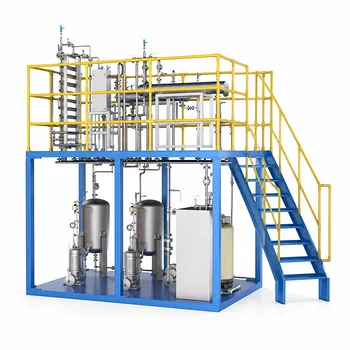
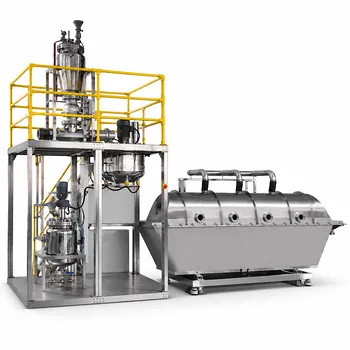
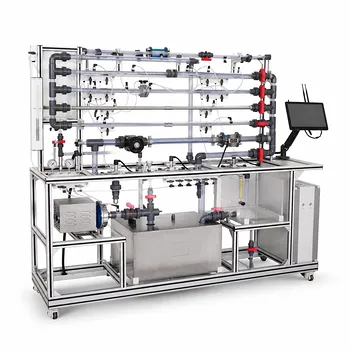
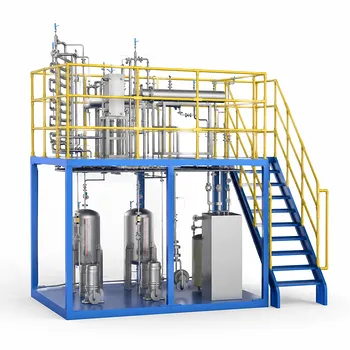
Precise simulation inputs are only the first step; validating them requires high-performance physical hardware. LABPARK provides state-of-the-art Educational and Vocational Unit Operations Pilot Plants in chemical engineering, bioprocess & biotech, and environmental & water treatment.
Designed specifically for universities, research institutes, and enterprises, our pilot plants ensure your students and researchers can seamlessly bridge the gap between thermodynamic software models and real-world process operations.
Ready to upgrade your lab's capabilities? Contact LABPARK today to explore our customizable pilot plant solutions!
Related Products
- Multi-Reactor Educational Pilot Plant for Reaction Engineering Unit Operations
- Carbon Dioxide Hydrogen Methanol Synthesis Educational Unit Operations Pilot Plant
- Ethyl Acetate Synthesis Unit Operations Pilot Plant for Practical Training
- Multi Pump Fluid Transport Process Piping Unit Operations Training Pilot Plant
- Multi-Modal Distillation Unit Operations Training Pilot Plant
People Also Ask
- How do reactor pilot plants define QbD design space? Master chemical process scale-up.
- When configuring a reactor unit operations pilot plant for highly exothermic reactions, how to prevent thermal runaway?
- How do metal ion-catalyzed reaction mechanisms inform chemical engineering pilot plant design? From kinetics to scale-up
- What role do educational pilot plants play in scaling green chemistry? Bridging the Lab-to-Industry Gap
- What are the barriers to process intensification & how do pilot plants help?