A single missing check can wipe an entire component library.
In unit‑operations pilot plants, the control software prevents accidental loss of component database files during manual data modification by performing a pre‑save emptiness check. Before writing modified text back to the database file, the program explicitly tests whether the content field is blank—and if it is, the save operation is aborted. This simple guard clause stops an operator who clicks “Save” too early from overwriting the entire database with empty data.
The core protection is a blank‑field validation that refuses to save if the editable text area is empty. This single rule shields the database file from being blanked out when no data has been loaded or typed—sidestepping a common, catastrophic human error.
Why a Single Early Click Can Destroy the Database
The Real Risk in Manual Data Editing
Operators frequently adjust component properties directly in a software interface.
In a hurried environment, it is easy to click “Save” before the data grid has populated or before new values have been entered.
When that happens, the program could blindly write whatever is currently in the text buffer to the database file.
If the buffer is empty, the result is a total replacement of the stored component data with nothing—an instant, irreversible data loss.
How the Blank‑Field Check Solves It
The source code inserts a guard condition at the very beginning of the save routine.
It looks like this in principle: If txtContent.Text = "" Then Exit Sub (or GoTo EndSub).
This line means: If the text field contains absolutely no content, stop the save immediately and do nothing to the file.
The file remains untouched, and the empty‑field scenario does not turn into a blanked database.
Breaking Down the Safeguard’s Logic
The Checkpoint Before Disk Write
All interaction flows through a single “Save” button that eventually calls a write‑to‑file function.
Right at the top of that function, the code evaluates txtContent.Text—the contents of the main text input or editor window.
If it returns an empty string, the procedure jumps straight to an end label, bypassing the file‑write instructions entirely.
No file handle is opened, no old content is deleted, and no new (empty) content is written.
Why This Is a Robust First Line of Defense
The check is fail‑safe by design: it prevents the write even if the user does not realise the field is blank.
It requires no confirmation pop‑ups, no complex logic—only a direct comparison.
Because the test runs before any destructive action, the existing database file stays perfectly intact.
The only consequence is that the unsaved changes are lost, which is always preferable to losing the whole database.
Understanding the Trade‑offs and Limitations
What This Simple Check Does Not Protect Against
A blank‑field validation cannot detect when incorrect but non‑empty data is accidentally saved.
If the operator types gibberish or wrong values into a populated field, the check passes and the flawed data overwrites the file.
It also assumes a single monolithic text field holds the entire database; any component‑wise database editor would need a more granular approach.
Partial loading (e.g., only a subset of properties appear) might still leave the field non‑blank while missing critical entries, so emptiness alone is not a complete safety net.
No Rollback, No Backup—Just an Abort
This guard does not create a backup copy before attempting the save.
If the file had been corrupted earlier by another bug, the check does nothing to recover it.
The logic simply prevents a specific, common mistake: triggering a save when no meaningful data is present.
For a wider safety architecture, you would still want transactional writes, file versioning, or a “discard changes” confirmation.
The Risk of Over‑Reliance on a Single Boolean Test
If a developer later changes the UI such that the text field is populated with a placeholder (e.g., “Enter data here”), the check will see a non‑blank string and allow the save.
Similarly, if the text field is cleared programmatically after a load but before the save, the condition could be true and the save blocked even when data exists in memory elsewhere.
Therefore, the emptiness check is a reliable but narrow defence—it works perfectly for the exact scenario it addresses, but it should be paired with additional integrity measures in any safety‑critical pilot plant.
How to Apply This Principle for Reliable Pilot Plant Operations
If your primary focus is protecting a legacy system: Reinforce the existing blank‑field check by ensuring it is still mapped to the correct control and that no placeholder text can fool it. Add a log entry whenever the check fires so you can spot operator workflow problems.
If your primary focus is building a new editor interface: Start with the emptiness guard but immediately layer on a “data‑loaded” flag that only gets set after a successful file read; block saves until that flag is true. This goes beyond blank detection and confirms the file was actually loaded.
If your primary focus is comprehensive database safety: Combine the guard with automated file backup right before any successful save, and implement a checksum or hash verification after writing to confirm the file is whole. That way, a single line of code evolves into a resilient defence‑in‑depth strategy.
Even a single, well‑placed emptiness check can be the difference between a productive shift and a database catastrophe—so never underestimate the power of a simple guard clause.
Summary Table:
| Database Safeguard | Core Mechanism | Key Benefit | Main Limitation |
|---|---|---|---|
| Pre-Save Emptiness Check | Aborts save if input text field is blank | Prevents accidental database blanking | Doesn't check for invalid/incorrect data |
| Data-Loaded Flag | Blocks saving until file read is confirmed | Prevents saving before data populates | Requires explicit load confirmation |
| Auto-Backup & Checksum | Creates copies and verifies file integrity | Protects against corruption/data loss | Higher software complexity |
Secure Your Process Engineering Operations with LABPARK
Ensure reliable, fail-safe pilot plant operations. LABPARK provides premium Educational and Vocational Unit Operations Pilot Plants in chemical engineering, bioprocess & biotech, and environmental & water treatment. Designed specifically for universities, research institutes, and enterprises, our pilot plants integrate advanced control software with robust safety protocols to prevent critical data loss and manual errors.
Ready to elevate your training and research capabilities? Contact us today for custom solutions!
Related Products
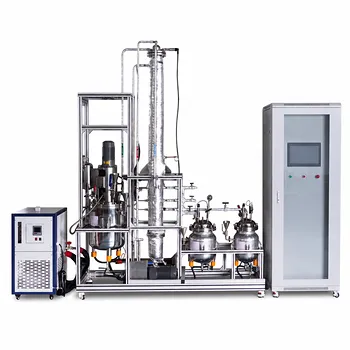
- Natural Product Extraction Unit Operations Training Pilot Plant
- Quantitative Dosing and Liquid Flow Control Educational Unit Operations Pilot Plant
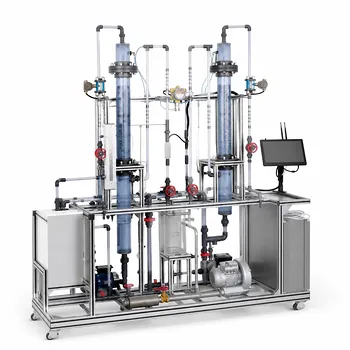
- Multimodal Absorption and Desorption Pilot Plant for Unit Operations Training
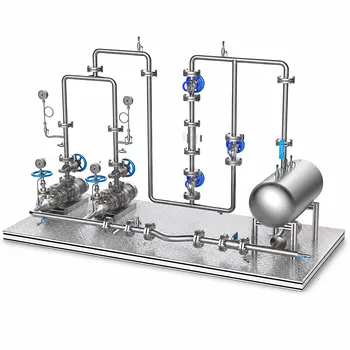
- Multi Pump Fluid Transport Process Piping Unit Operations Training Pilot Plant
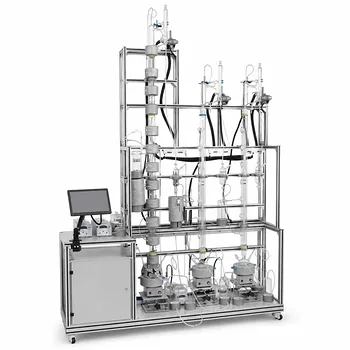
- Ethyl Acetate Synthesis Unit Operations Pilot Plant for Practical Training
People Also Ask
- How to Demo Solubility Sensitivity in SFE Pilot Plants? Practical Thermodynamics
- How do pilot plants differentiate physical vs chemical extraction? Enhance Chemical Engineering Training
- Why do emulsions form during extraction scale-up? Resolve pilot plant phase separation issues.
- What key factors contribute to emulsion formation during liquid-liquid extraction? Scale-up mitigation strategies.
- How are HTU and NTU applied to determine extraction column height? Guide to Pilot Plant Scaling