Correcting a single typo in a component’s critical property can instantly corrupt your master database and crash a live simulation. Because chemical engineering software writes changes directly and immediately to active data files, any unintended edit—no matter how small—risks halting the entire separation process, corrupting thermodynamic models, and even disrupting the physical pilot plant. Backups are not just a safety net; they are the only way to preserve a known-good baseline that lets you experiment, troubleshoot, and restore operations without catastrophic downtime.
A single uncontrolled change to a component property database can bring a running simulation or physical unit operation to a sudden halt. Regular, organized backups transform that risk from a potential disaster into a safe, reversible experiment.
The Fragility of Active Component Databases
Process simulators and control software rely on component property tables—such as FLSHDAT or FeedDat—to define the thermodynamic behavior of every chemical species. These files are the single source of truth for properties like critical constants, binary interaction parameters, and equation-of-state coefficients.
Instant Overwrite Means Zero Undo
When you open an active data table and save a change, the software does not ask for confirmation and does not create an automatic history. It overwrites the original file on disk. There is no “undo” button, no built-in version control. The previous state is gone instantly.
The Domino Effect of a Single Bad Value
A single erroneous density value, a misplaced decimal in a K-value correlation, or an incorrectly assigned component ID can cause the solver to diverge, produce physically impossible results, or outright crash. In a flash separation simulation, that crash may happen silently at first—perhaps returning a negative vapor fraction—until the entire flowsheet fails to converge.
The Link Between Data Integrity and Physical Safety
In university pilot plants and research facilities, the same software often drives both the simulation and the real-time data acquisition or control interface. A corrupted component database does not just stop a graph on a screen. It can feed control systems nonsensical setpoints, leading to overpressure, thermal runaway, or loss of containment in the actual equipment. Backups ensure you can restore a validated, safe configuration in seconds.
Why “Just Being Careful” Is Not Enough
Even the most experienced engineers make editing mistakes. The problem is not carelessness—it’s the absence of a recovery mechanism.
Shared Environments Multiply the Risk
In academic or multi-user research settings, multiple groups work with the same base component list. One user’s well-intentioned addition of a new heavy hydrocarbon may break the phase equilibrium model for another user’s entirely different project. Without backups, troubleshooting becomes a frantic search through an unknown history of unrecorded changes.
Rapid Iteration Requires a Reset Switch
Modern separation studies often involve testing dozens of feed compositions or solvent candidates. Each test may require its own tailored property package. If you cannot instantly revert to a pristine baseline, every new scenario starts from a potentially corrupted state. Backups let you take bold steps in model development because you know the safe return path is preserved.
Understanding the Trade‑offs
No engineering practice is without cost, and backup strategies do introduce some operational overhead.
Storage and Naming Discipline
The primary “cost” is organizational. Keeping multiple copies (e.g., FLSHDAT_original, FLSHDAT_ScenarioA, FLSHDAT_ScenarioB) demands a clear naming convention and a secure, dedicated directory. Without it, you risk loading the wrong backup or accidentally overwriting the baseline itself.
Performance Overhead Is Negligible
Unlike backing up large dynamic process data streams, these component property files are tiny—often a few kilobytes to a few megabytes. The disk space and time required to make a copy are so trivial that they should never be a valid excuse to skip the step. The true bottleneck is human discipline, not system resources.
The Confusion of Too Many Versions
A clutter of backup files can become its own hazard if you lose track of which one contains the validated, equipment‑ready dataset. The mitigation is simple: maintain one clearly labeled “golden” master file in a read‑only folder and only copy it to a working directory when you need to start a new test.
How to Apply This to Your Project
The exact backup strategy depends on whether you are safeguarding a live production system, an academic teaching lab, or a research group exploring novel separations. The principles remain the same, but the priorities shift.
- If your primary focus is protecting a live pilot plant or production unit: Always keep a read-only, validated master database outside the software’s working directory. Before every campaign, copy this master into the active folder and immediately verify the simulation against known benchmarks.
- If you work in a university teaching lab with rotating student groups: Create a dedicated folder with baseline backups for each lab experiment. Require students to begin every session by loading a specific backup and to save their final configurations under their own group identifier, never overwriting the shared original.
- If you are a researcher rapidly screening new solvent formulations or feed blends: Establish a naming convention that ties each backup to a specific experimental matrix entry. After every successful convergence, immediately create a time-stamped copy so you can trace promising results back to exact parameter sets.
The integrity of your separation model—and the safety of the equipment it commands—lives in a handful of small, easily backed‑up files. Treat those files as you would a critical piece of hardware, and you will never have to explain a preventable shutdown or a dangerous operating excursion.
Summary Table:
| Risk of No Backups | Benefit of Regular Backups | Best Practice |
|---|---|---|
| Instant overwrite with zero undo | Fast recovery to a known-good baseline | Keep a read-only "golden" master |
| Diverged solvers & simulator crashes | Uninterrupted simulation & modeling | Time-stamp backups during iterations |
| Corrupted control signals to physical plant | Prevents hazardous pilot plant excursions | Load baseline templates for student labs |
Secure Your Chemical Engineering Lab's Success with LABPARK
Don't let simulation errors or software misconfigurations disrupt your research or teaching. LABPARK provides state-of-the-art Educational and Vocational Unit Operations Pilot Plants in chemical engineering, bioprocess & biotech, and environmental & water treatment, specifically designed for universities, research institutes, and enterprises. Our systems are engineered for safety, reliability, and easy integration with modern process control software.
Ready to upgrade your laboratory setup? Contact us today to discuss how our robust pilot plant solutions can support your educational and research goals!
Related Products
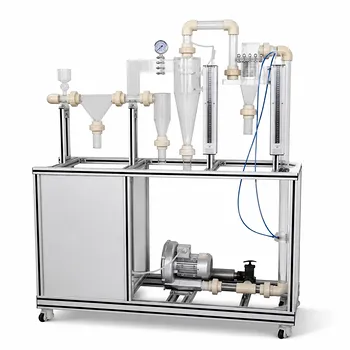
- Gas-Solid Heterogeneous Separation Demonstration Educational Unit Operations Pilot Plant
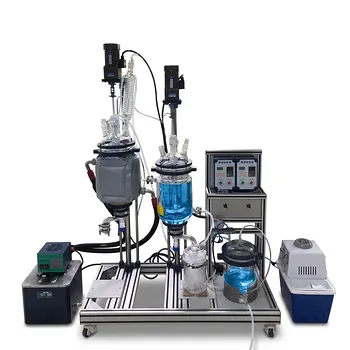
- Potassium Salt Thermal Dissolution and Crystallization Separation Educational Unit Operations Pilot Plant
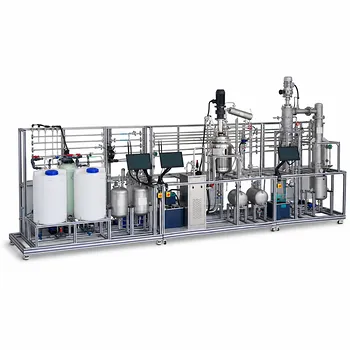
- Natural Product Extraction Unit Operations Training Pilot Plant
- Carbon Material Thermal Pretreatment Multiphase Separation Educational Pilot Plant
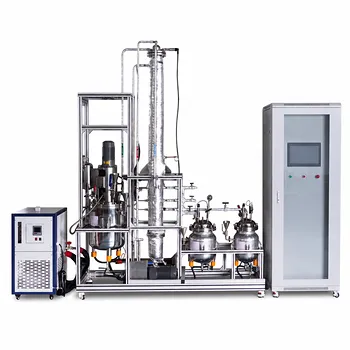
- Multi-Modal Distillation Unit Operations Training Pilot Plant
People Also Ask
- Why is pressure drop characterization critical in separation pilot plants? Key operational insights.
- How do separation pilot plants compare distillation vs alternatives? Optimize process selection
- What separation subsystems should be analyzed when configuring separation units for chemical and bioprocess pilot plants? Key Design Factors
- Why Do Flash Calculations Fail for Light-Gas Mixtures? Prevent Pilot Plant Simulation Errors
- What are the key thermodynamic considerations for gas mixture modeling? Expert Guide